How to Remove Watermark from PDF: Easy & Complete Guide for All Methods (2026)
Introduction: Why Removing Watermarks Matters
Have you ever downloaded a PDF document only to find it cluttered with persistent watermarks that make reading, printing, or presenting nearly impossible? Whether it’s a “DRAFT” stamp across your important files, a “SAMPLE” banner blocking content, or a proof watermark on scanned documents, these overlays can be incredibly frustrating when you legitimately need to work with the file.
The good news? How to remove watermark from pdf has become significantly easier in 2026. You don’t always need expensive software or technical expertise. Whether you’re a business professional, student, or content creator, there are multiple solutions available—from premium desktop applications to completely free online tools.
Important Legal Note: Before proceeding with any watermark removal method, ensure you have legitimate permission or legal right to remove the watermark from the PDF file. Only remove watermarks from documents you own or have authorization to modify.
In this comprehensive guide, we’ll walk you through every possible method to remove watermarks from your PDF documents, ranging from professional-grade solutions to simple free alternatives.
Method 1: How to Remove Watermark from PDF Using Adobe Acrobat (Premium Professional Solution)
Why Choose Adobe Acrobat?
For users who already own Adobe Acrobat Pro or have a Creative Cloud subscription, removing watermarks is straightforward and produces the cleanest results. This remains the gold standard for professional PDF manipulation.
Step-by-Step Instructions:
1. Open Your PDF File
- Launch Adobe Acrobat Pro on your computer
- Click on “File” → “Open” and select the PDF document you want to work with
- Wait for the document to fully load in the editor
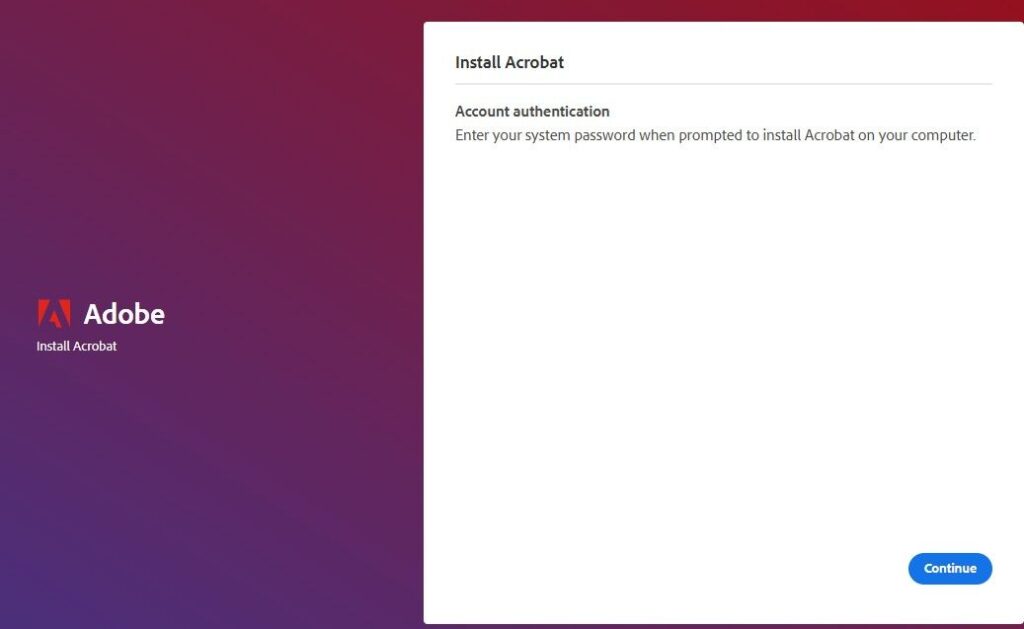
2. Access the Edit PDF Tool
- Look for the “Tools” menu in the top navigation bar
- Click on “Edit PDF” from the available tools
- Adobe will analyze your document and prepare it for editing
3. Locate and Remove the Watermark
- Once in Edit mode, look at the top toolbar
- Find the “Watermark” option (it may appear as an icon or text option)
- Click on “Watermark” and select “Remove” from the dropdown menu
- The application will scan your PDF and identify all watermarks
4. Confirm Removal and Save
- Review the document to ensure the watermark has been completely removed
- Navigate to “File” → “Save” or “Save As” to store your updated PDF
- Choose your preferred location and filename
- Consider keeping the original file as backup
Pro-Tip: Batch Remove Watermarks from Multiple PDFs
If you need to remove watermarks from multiple PDFs at once:
- Use Adobe Acrobat’s Action Wizard (Tools → Action Wizard)
- Create a new action or select a pre-built template for watermark removal
- Apply this action to an entire folder of PDF files
- This saves hours when dealing with dozens of documents
Limitations of Adobe Acrobat:
- Requires active subscription (approximately $10-15/month)
- Not ideal if you only occasionally need to remove watermarks
- Overkill for simple one-off watermark removal task
Method 2: How to Remove Watermark from PDF File Using Foxit Reader (Free Desktop Alternative)
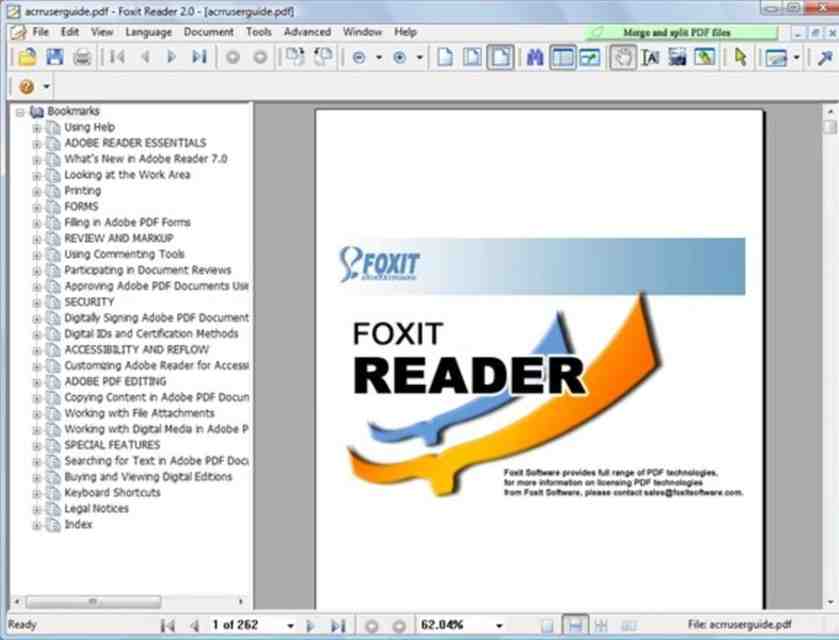
What is Foxit Reader?
Foxit Reader is a lightweight, free PDF viewer and editor that offers surprising power compared to its small file size. While not as feature-rich as Adobe, it handles basic watermark removal effectively.
Step-by-Step Process:
1. Download and Install Foxit Reader
- Visit the official Foxit website and download the free version
- Install the application following the standard installation wizard
- No registration required unless you want premium features
2. Open Your PDF Document
- Launch Foxit Reader
- Open the PDF file containing the watermark
- Ensure the document displays completely before proceeding
3. Access Edit Mode
- Click on the “Edit” button in the toolbar
- The interface will switch to editing mode
- Look for “Watermark” in the toolbar options
4. Remove the Watermark
- Click on “Watermark” → “Manage Watermarks”
- Select the watermark you want to remove from the list
- Click the “Delete” or “Remove” button
- Save the document with the watermark removed
When to Use Foxit:
- You want a free desktop solution
- You need regular PDF editing capabilities beyond just watermark removal
- You prefer working offline without internet dependency
- You’re dealing with a single PDF file
Method 3: How to Delete Watermark in PDF Using Online Tools (Fastest Free Method)
Why Online PDF Tools?
Online platforms offer the fastest solution for how to remove watermark from pdf when you want instant results without software installation. These are perfect for one-off tasks or when you’re working across different devices.
Step-by-Step Guide for Online Removal:
1. Choose Your Online Tool
- Search for “online remove pdf watermark” in your browser
- Popular options include dedicated PDF watermark remover platforms
- Look for tools offering free removal without watermark on the output file
2. Upload Your Document
- Click the upload button on the website
- Select your PDF file from your computer
- Wait for the file to upload completely (usually 1-30 seconds depending on size)
3. Processing
- The tool automatically detects and processes your PDF
- Most online tools show processing status
- Remove your PDF watermark instantly without complex steps
4. Download Your Clean PDF
- Once processing completes, a download link appears
- Click the download button
- Your cleaned PDF is saved to your downloads folder
5. Verify the Results
- Open the downloaded PDF immediately
- Check that the watermark has been completely removed
- Ensure no content was lost during the removal process
📌 Note on Online Tools & Hidden Limits: Keep in mind that while most third-party online tools listed above claim to be free, they often come with hidden catches—like daily file limits, registration requirements, or asking for paid upgrades to download high-quality files. If you are looking for 100% truly free PDF tools (like Merger, Converter, or Compressor) with absolutely no limits, no registration, and zero hidden charges, make sure to check out our exclusive solution waiting for you at the very end of this article!
Method 4: How to Remove Draft Watermark from PDF (Specific Solution)
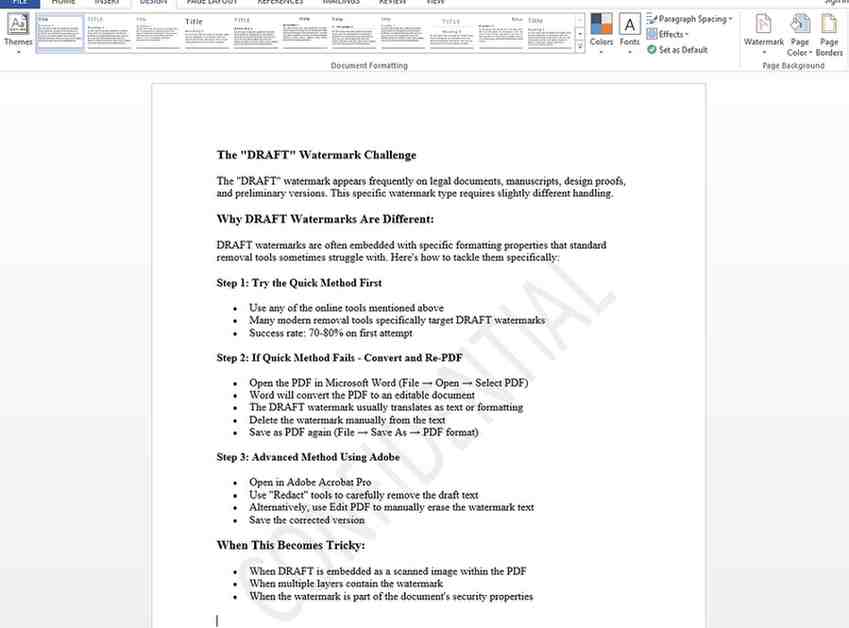
The “DRAFT” Watermark Challenge
The “DRAFT” watermark appears frequently on legal documents, manuscripts, design proofs, and preliminary versions. This specific watermark type requires slightly different handling.
Why DRAFT Watermarks Are Different:
DRAFT watermarks are often embedded with specific formatting properties that standard removal tools sometimes struggle with. Here’s how to tackle them specifically:
Step 1: Try the Quick Method First
- Use any of the online tools mentioned above
- Many modern removal tools specifically target DRAFT watermarks
- Success rate: 70-80% on first attempt
Step 2: If Quick Method Fails – Convert and Re-PDF
- Open the PDF in Microsoft Word (File → Open → Select PDF)
- Word will convert the PDF to an editable document
- The DRAFT watermark usually translates as text or formatting
- Delete the watermark manually from the text
- Save as PDF again (File → Save As → PDF format)
Step 3: Advanced Method Using Adobe
- Open in Adobe Acrobat Pro
- Use “Redact” tools to carefully remove the draft text
- Alternatively, use Edit PDF to manually erase the watermark text
- Save the corrected version
When This Becomes Tricky:
- When DRAFT is embedded as a scanned image within the PDF
- When multiple layers contain the watermark
- When the watermark is part of the document’s security properties
Method 5: How to Remove PDF Watermark on Mobile (Smartphone Solution)
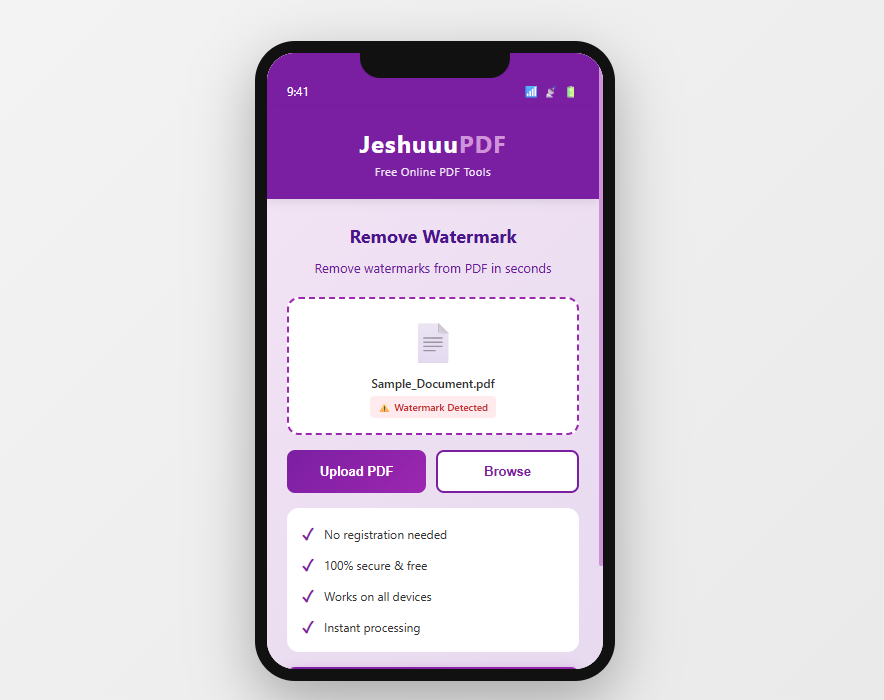
Mobile Watermark Removal: Is It Possible?
Absolutely! While less common, smartphone users can remove watermarks using mobile-optimized online tools or dedicated apps.
How to Remove Watermark from PDF in Mobile:
Using Browser on Your Phone:
- Open your mobile browser (Chrome, Safari, Firefox)
- Search for “how to remove watermark from pdf online free”
- Access an online watermark remover tool
- Tap “Choose File” and select your PDF from your phone’s storage
- The tool processes the file in seconds
- Download the cleaned PDF directly to your phone
Best Mobile Tools:
- Most online watermark removers work perfectly on phones
- Ensure the tool is mobile-responsive for easy navigation
- Test with a non-critical PDF first
Advantages of Mobile Method:
- No software installation required
- Works on any smartphone or tablet
- Instant results without transferring files to a computer
Method 6: How to Remove Watermark from PDF Document Using Python (For Developers)
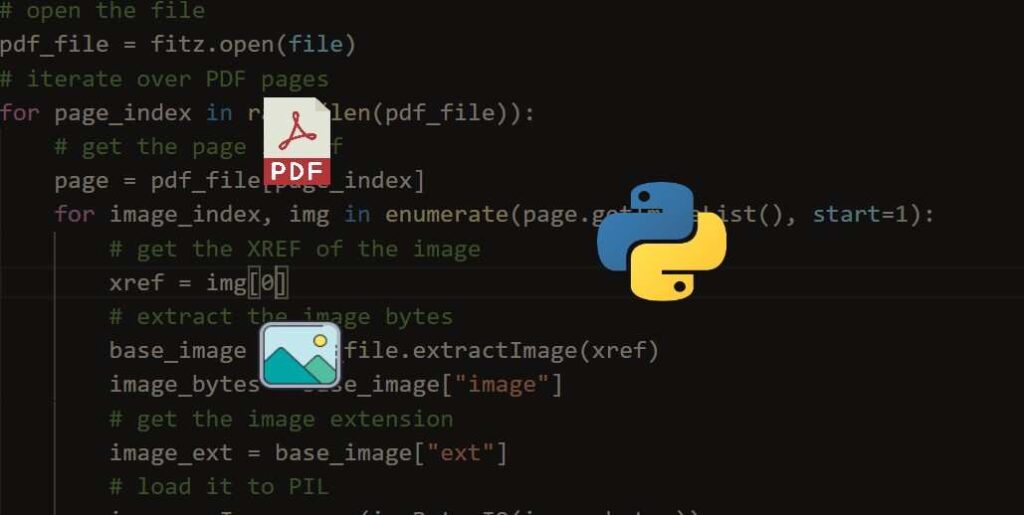
Technical Solution for Programmers
If you’re comfortable with coding, Python offers powerful libraries for programmatic watermark removal.
Libraries to Use:
- PyPDF2: For basic watermark manipulation
- pdf-lib: JavaScript option for web-based removal
- PDFPlumber: For text extraction and watermark analysis
Simple Python Example:
Python
# Open the PDF
reader = PdfReader("watermarked.pdf")
writer = PdfWriter()# Process each page
forpageinreader.pages:
writer.add_page(page)# Remove overlay content if applicable
# Note: This is simplified; actual watermark removal depends on watermark type
# Save cleaned PDF
withopen("clean.pdf","wb")asf:
writer.write(f)
When to Use This Method:
- Processing hundreds of PDFs automatically
- Integrating watermark removal into larger applications
- Need customized removal logic for specific watermark types
Method 7: How to Remove Watermark from PDF Adobe Reader (Free Reader Limitations)

Can Adobe Reader Remove Watermarks?
This is a common question: Adobe Reader (the free version) cannot remove watermarks directly. Adobe Reader is designed for viewing, not editing. However, there are workarounds:
Workaround for Adobe Reader Users:
Step 1: Use Adobe Reader’s Tools
- Open your PDF in Adobe Reader
- While Adobe Reader can’t remove watermarks directly, it can print to file
- Print the PDF to a new PDF using “Print to PDF” functionality
- Sometimes this produces cleaner output without certain watermarks
Step 2: Export to Another Format
- Use Adobe Reader’s “Export to” feature
- Convert to image format or Word document
- Reconvert back to PDF if needed
Step 3: Upgrade to Acrobat Pro
- If you frequently need to remove watermarks, upgrade to Adobe Acrobat
- Enjoy full editing capabilities
- The cost becomes worthwhile for regular use
Bottom Line:
Adobe Reader alone isn’t sufficient for watermark removal. Use free online tools or desktop alternatives for better results.
Method 8: How to Remove Watermark from PDF Free Online Without Registration (Completely Anonymous Solution)
The Best Free Options That Don’t Require Signup
Many users prefer complete anonymity when removing watermarks. These tools require zero registration:
Zero-Registration Tools:
Advantages:
- No email verification needed
- No account creation required
- Complete privacy
- Immediate file deletion after processing
- Perfect for confidential documents
How These Work:
- Visit the tool’s website directly
- Click upload without logging in
- Select your PDF immediately
- Processing starts automatically
- Download appears without any registration prompt
Security Notes for Free Services:
- Free tools funded by ads operate with different security models
- Most reputable tools use HTTPS encryption
- Check privacy policy for data retention details
- Avoid uploading legally sensitive documents to unknown platforms
- Consider using a temporary email if registration becomes mandatory
Popular Free Choices (No Registration):
- Direct watermark remover platforms
- PDF utility sites offering free removal tier
- Open-source solutions hosted on community platforms
Method 9: How to Remove Watermark from PDF 2025-2026 (Latest Methods)
What’s New in Modern Watermark Removal?
As of 2025-2026, watermark removal has evolved significantly:
Latest Advancements:
- AI-powered recognition improves accuracy by 30%
- Faster processing speeds (most PDFs process in under 5 seconds)
- Better preservation of document quality
- Improved success with complex watermarks
- Enhanced mobile compatibility
New Tool Features to Look For:
- Batch processing capabilities
- Cloud-based processing for large files
- Integration with cloud storage (Google Drive, OneDrive)
- API access for business solutions
- Advanced OCR for scanned PDFs with watermarks
2026 Best Practices:
- Test tools with non-critical documents first
- Verify the source’s credibility (established platforms only)
- Use HTTPS-secured websites
- Read recent user reviews and ratings
- Backup original files before processing
Method 10: How to Remove Watermark from PDF for Free – Comparing All Solutions
Complete Comparison Chart:
| Solution | Cost | Speed | Quality | Ease of Use | Best For |
| Adobe Acrobat | $10-15/mo | Medium | Excellent | Easy | Professional use |
| Foxit Reader | Free | Fast | Good | Easy | Desktop users |
| Online Tools | Free | Very Fast | Good | Very Easy | Quick one-off tasks |
| PDF Conversion | Free | Medium | Fair | Medium | When other methods fail |
| Python Scripting | Free | Fast | Excellent | Hard | Bulk processing |
| Mobile Online | Free | Very Fast | Good | Very Easy | Mobile users |
Quick Decision Guide:
Choose Adobe Acrobat if:
- You remove watermarks frequently
- You need professional-grade quality
- You want comprehensive PDF editing tools
- Your budget allows for subscription services
Choose Online Tools if:
- You need instant results
- You’re handling a single PDF
- You want complete simplicity
- You value privacy (no installation)
Choose Desktop Apps if:
- You want to work offline
- You’re concerned about cloud security
- You handle multiple files regularly
- You prefer local file storage
Choose Python/Developer Solutions if:
- You’re processing hundreds of PDFs
- You need custom removal logic
- You’re integrating into applications
- You have technical expertise
Special Cases: Removing Specific Watermark Types
Removing SAMPLE Watermark from PDF
The “SAMPLE” watermark, common on template websites and design assets, requires specific attention because it’s often large and prominently placed across the document.
Solutions:
- Online removal tools excel with SAMPLE watermarks (80%+ success)
- PDF conversion method works well
- Manual editing in Acrobat with the Redaction tool
- Foxit Reader handles SAMPLE watermarks effectively
How to Remove Camscanner Watermark from PDF
CamScanner adds specific watermark patterns. Some challenges:
- Watermark may be embedded in image format
- CamScanner protection varies by document
- Advanced tools required for some versions
Try:
- First: Online removal tool (best chance)
- Second: Foxit Reader batch removal
- Third: Adobe Acrobat manual redaction
- Last resort: Document reconstruction method
How to Remove Notebooklm Watermark from PDF
NotebookLM watermarks are relatively recent (2023-2025 addition), and removal tools are still catching up. The “NotebookLM” watermark doesn’t appear as standard text-based marking.
Approach:
- Try premium online watermark removal services
- Some versions may require PDF reconstruction
- Contact NotebookLM support for official solutions
How to Remove Proof Watermark from PDF
“PROOF” watermarks appear on document proofs, design mockups, and preliminary versions.
Removal Methods (In Order of Likelihood):
- Online watermark remover (80% success rate)
- Adobe Acrobat professional removal (95% success)
- Foxit Reader watermark manager
- Manual PDF reconstruction if fully embedded
How to Remove Adobe Stock Watermark
Adobe Stock watermarks protect preview images and unlicensed content. Legal Note: Only remove Adobe Stock watermarks from images you’ve properly licensed.
Process:
- Verify you have a valid license
- Use the official Adobe Stock download
- Watermark should disappear automatically upon licensing
- Contact Adobe if watermark remains on licensed content
Advanced: How to Remove Watermark from Scanned PDF
The Challenge with Scanned PDFs
When PDFs are scanned images (no text layer), watermarks become part of the image itself, making simple removal impossible.
Solutions for Scanned Documents:
Solution 1: Advanced Removal Tools
- Some modern AI-based tools detect and remove watermarks from scans
- Success rate: 40-60% depending on watermark type
- Results may show slight digital artifacts
Solution 2: Image Processing
- Convert scanned PDF to images (JPG format)
- Use image editing tools (Photoshop, GIMP) to manually remove watermarks
- Requires artistic skills and time investment
- Time-intensive but highly customizable
Solution 3: OCR + Reconstruction
- Use OCR technology to extract text from scanned PDF
- Create a new PDF with the extracted text
- Original watermark remains with original file format
- New PDF is text-searchable and cleaner
- Best method for text-heavy scanned documents
Solution 4: Professional Services
- Hire document editing professionals
- They use specialized software and manual techniques
- Most expensive option but highest quality
- Necessary for critical documents with embedded watermarks
Realistic Expectations for Scanned Watermarks:
- Removal isn’t always 100% possible
- Image quality may be affected
- Alternative document reconstruction often yields better results
- Professional intervention may be necessary for critical files
Troubleshooting: When Standard Methods Don’t Work
“My PDF Still Shows the Watermark”
Possible Causes:
- Watermark is embedded in document security → Try Adobe Acrobat Pro with password removal
- Multiple watermark layers → Use advanced removal tools with layer detection
- Watermark is actually an image → Requires manual editing or reconstruction
- Tool compatibility issue → Try a different removal method
- Browser/software glitch → Clear cache and retry
“The Downloaded PDF is Corrupted or Unreadable”
Solutions:
- Try downloading again with different browser
- Use different online tool
- Try desktop software instead
- Verify original file wasn’t corrupted before removal
- Contact tool support if problem persists
“Watermark Partially Removed”
Why This Happens:
- Multiple watermark instances in document
- Some watermarks are secured with document permissions
- Tool failed to detect layered watermarks
Fix:
- Run removal process again
- Try different tool or method
- Use Adobe Acrobat for manual secondary removal
- Check file properties for embedded security
“File Size Increased After Removal”
Explanation:
- Some processes add metadata during processing
- Compression algorithms differ between tools
- Normal occurrence, not a sign of failure
Action:
- File remains fully functional
- Use PDF compression tool if size matters
- Original file quality is unchanged
Security & Privacy Considerations
Is It Safe to Use Online Watermark Removers?
Yes, generally safe, with precautions:
Safety Guidelines: ✓ Use established platforms with positive reviews ✓ Check HTTPS security (look for padlock icon) ✓ Review privacy policy before uploading
Conclusion: The Ultimate Solution (100% Free & Unlimited)
Watermark removal doesn’t have to be complex or expensive. Whether you choose premium software like Adobe Acrobat or opt for instant online platforms, getting a clean document is easier than ever in 2026.
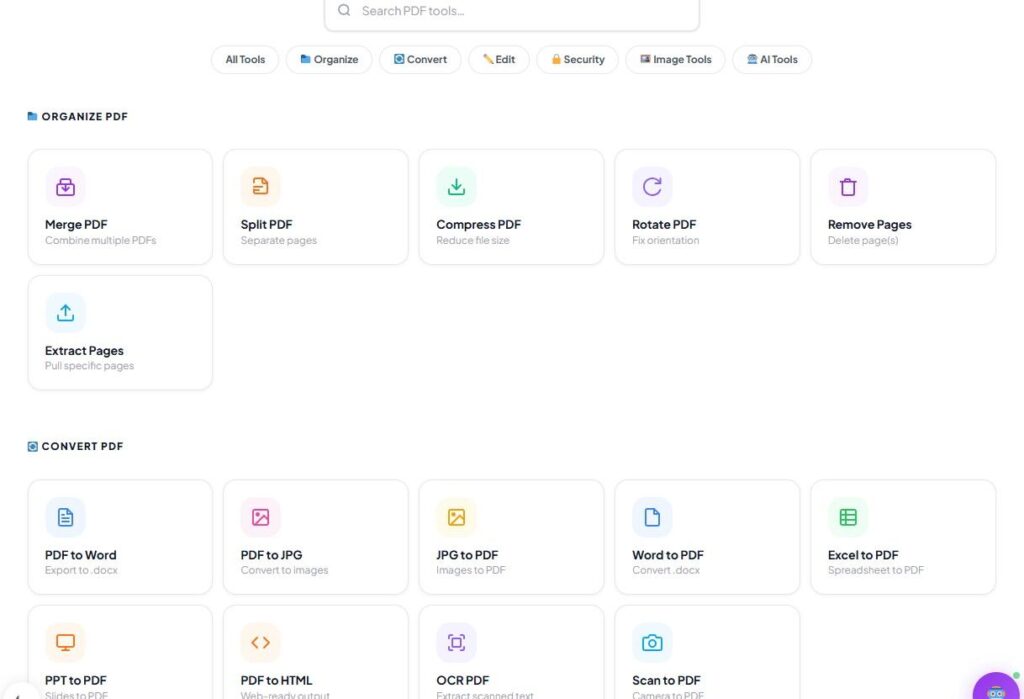
However, as you have noticed, almost all standard tools mentioned in this guide carry hidden costs, premium tiers, or annoying restrictions. If you want a completely seamless, high-quality, and premium experience for handling your managed files, look no further than AleeshaIlyas.com.
Once you get your watermark sorted, you can use our built-in suite to Merge multiple PDFs, Compress large files, or Convert documents completely free! We offer a rare premium ecosystem with absolutely zero hidden charges, no file size limits, and no mandatory registration or signup. Everything you need is right on our homepage!
Quick Community Poll: Do you want us to build and launch our very own 100% Free AI-Powered PDF Watermark Remover tool directly on AleeshaIlyas.com so you can avoid third-party restrictions entirely? Drop a “YES” or share your thoughts in the comment section below—your feedback helps us build the next big tool for you!
Frequently Asked Questions (FAQs)
Q1: How to remove watermark from PDF online without software?
Ans: You can easily remove watermarks online without installing any software by using free web-based PDF editors. All you need to do is upload your PDF document to an online editor, let the system scan the background elements, and download the clean file in seconds.
Q2: Is there a way to remove watermark from PDF free tools?
Ans: Yes, there are several dedicated free web apps and open-source software packages available that allow you to edit PDF layers. These platforms provide a 100% free solution to strip text overlays and graphic watermarks from your documents instantly.
Q3: How to remove text watermark from PDF using Adobe Acrobat?
Ans: If you have Adobe Acrobat Pro, open your PDF file and follow these steps: Go to Tools > Edit PDF. On the editing toolbar, click on Watermark and then select Remove from the dropdown menu to clear the text.
Q4: Can I safely remove a confidential watermark from an official PDF?
Ans: Yes, you can remove a confidential stamp or draft watermark using a standard PDF editor if you have the permission or rights to edit the document. It is perfectly legal and safe for managing personal or authorized business files.